getDesignInverseNormal(informationRates = c(0.2, 0.6, 1)) |>
    getSimulationMultiArmRates(
        doseLevels = c(2.1, 3, 5.25, 9), # New!
        typeOfShape = "sigmoidEmax", # Define dose-response relationship
        gED50 = 2, # Dose with half of the maximum effect
        slope = 0.5, # Slope of the dose-response curve
        activeArms = 4,
        plannedSubjects = c(10, 30, 50),
        piControl = 0.1,
        piMaxVector = seq(0.35, 0.45, 0.1),
        intersectionTest = "Sidak",
        conditionalPower = 0.8,
        minNumberOfSubjectsPerStage = c(10, 4, 4),
        maxNumberOfSubjectsPerStage = c(10, 100, 100),
        maxNumberOfIterations = 10
)New features implemented in rpact and RPACT Cloud
Friedrich Pahlke
October 6, 2025
New features implemented in rpact

rpact Package

rpact 4.2.0: New features
- For the multi-arm simulation functions
getSimulationMultiArmMeans(),getSimulationMultiArmRates(), andgetSimulationMultiArmSurvival()it is now possible to specify a parameterdoseLevelsto define the dose levels for alinearorsigmoidEmaxdose-response relationship (see feature request #63)
Example:
rpact 4.2.0: New features (cont’d)
- Added support for unequal variances between two groups in
getSampleSizeMeans(),getPowerMeans(), andgetSimulationMeans()functions (see enhancement #70): You can specify unequal variances by providing thestDevargument as a vector of length 2, where each element represents the standard deviation of one group
rpact 4.2.0: New features (cont’d)
- Argument
conservativeadded togetSampleSizeRates()function: Only relevant for one treatment group withnormalApproximation = FALSE.- If
conservative = TRUE(default), the sample size is calculated so that any larger sample size guarantees a power greater than 1 - β.
- If
conservative = FALSE, the minimum sample size for which
power exceeds 1 - β is used (see enhancement #39)
- If
rpact 4.2.0: New features (cont’d)
Example:
maxNumberOfSubjects
20 rpact 4.2.0: New features (cont’d)
- Save or reset all
rpactoptionssaveOptions()saves the currentrpactoptions to a configuration file (located in the user’s configuration directory)resetOptions()resets therpactoptions to their default values- Note that the
rappdirspackage needs to be installed
rpact 4.2.0: New features (cont’d)
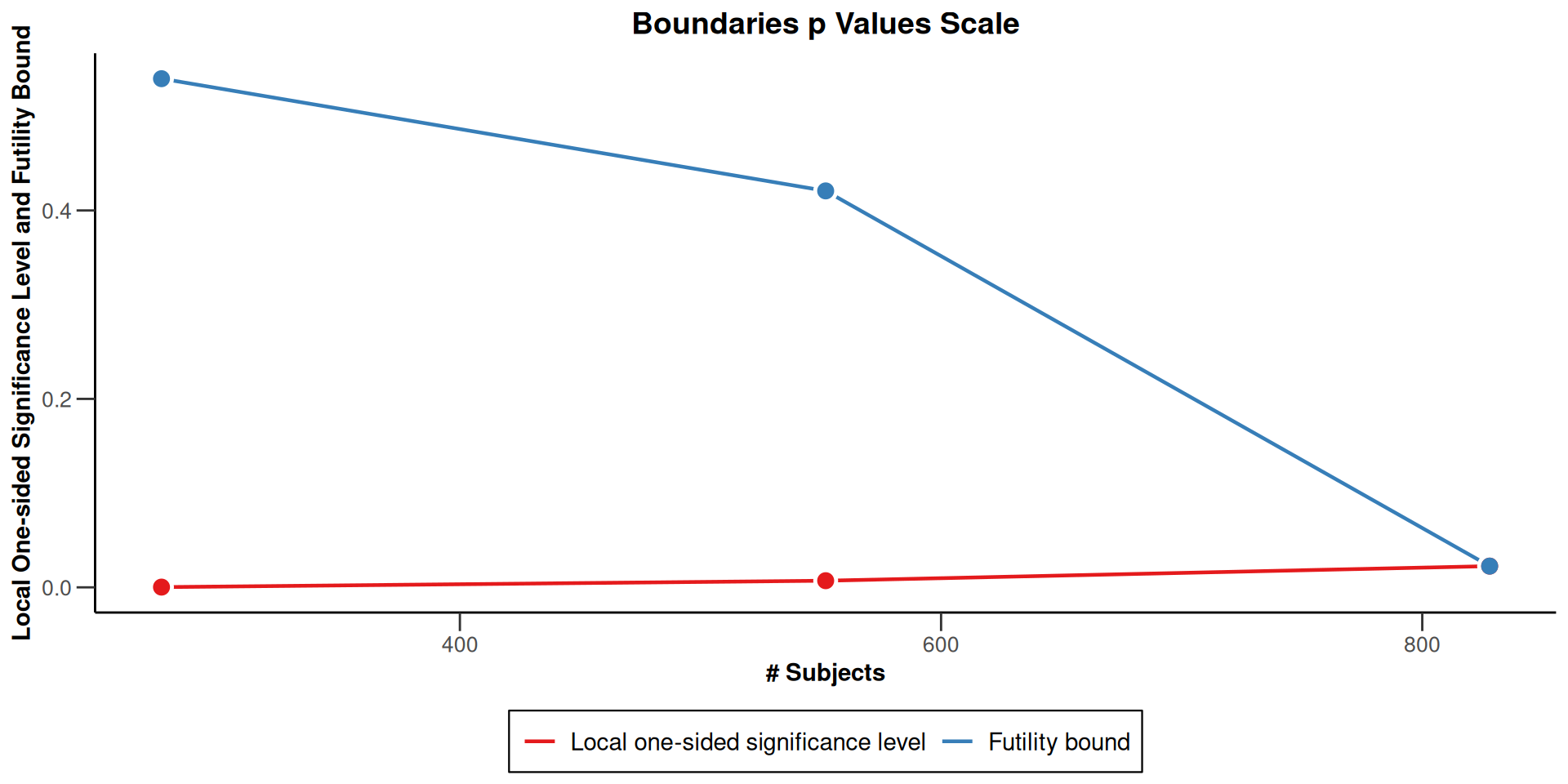
- Enable futility boundaries in Boundaries p Values Scale plot plot (type = 3) using
options("rpact.plot.show.futility.on.pvalue.scale" = TRUE)or argumentshowFutilityBounds = TRUE(see enhancement #79)
rpact 4.2.0: New features (cont’d)
Example:
rpact 4.2.0: New features (cont’d)
- Enable beta-spending in Error Spending plot (type = 4) using
options("rpact.plot.show.beta.spent" = TRUE)or argumentshowBetaSpent = TRUE, see enhancement #80. Furthermore,options("rpact.plot.show.alpha.spent" = FALSE)or argumentshowAlphaSpent = FALSEcan be used to show only beta-spending in the plot
rpact 4.2.0: New features (cont’d)
testPackage()produces a comprehensive installation qualification report in html and pdf format (see new vignette Installation Qualification of rpact or rpact.org/iq)
Examples:setupPackageTests()downloads the test files and installs them into the rpact directory, providing access to the full unit test suite, which is now maintained in a private repository
rpact 4.2.1: New features
- New parameters
efficacyStopsandfutilityStopshave been added togetDesignGroupSequential()andgetDesignInverseNormal(), allowing users to flexibly enable or disable interim stops for efficacy and/or futility (see enhancement #88)
rpact 4.2.1: New features
getAnalysisResults()andgetFinalConfidenceInterval()now support the parameterstdErrorEstimate("pooled"or"unpooled") to calculate final confidence intervals for two-sample rate comparisons
rpact 4.2.1: New features (cont’d)
Example:
[1] 0.06340536 0.40022306[1] 0.05741957 0.38189911rpact 4.2.1: New features (cont’d)
- The new
InstallationQualificationResultobject returned bytestPackage()introduces a default print output in a clear, detailed, and user-friendly format, making it easier to review qualification results
Optimal conditional error function design support
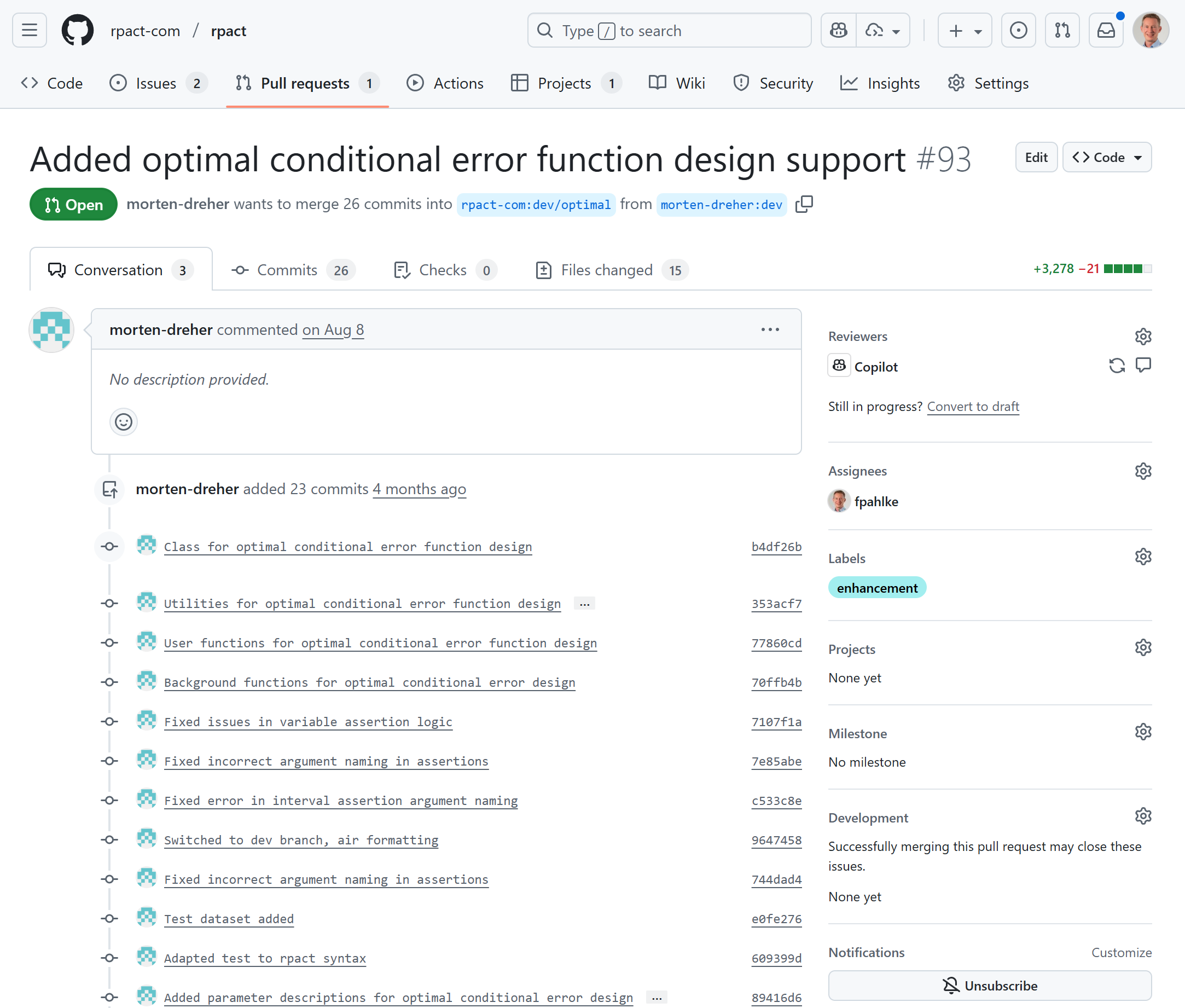
Developed by Morten Dreher
Pull Request Overview
This PR adds comprehensive support for optimal conditional error function designs to a statistical package. The optimal conditional error function approach allows for adaptive sample size re-estimation in clinical trials while maintaining strict type I error control.
Key changes include:
- Implementation of a complete design framework for optimal conditional error functions with various likelihood ratio distributions
- Addition of utility functions for calculating conditional errors, second-stage information, and overall power Comprehensive test suite covering different scenarios and edge cases
RPACT Cloud

RPACT Cloud: Highlights from Last Year
Over the past year, three major pharmaceutical companies have licensed RPACT Cloud for internal installation and use on their own servers. To support these enterprise deployments, we published extensive documentation covering setup on Posit Connect, configuration, and full qualification/validation:
- How to Programmatically Clone and Deploy the RPACT Cloud Shiny App to Posit Connect
- Deployment: RPACT Cloud with RStudio Workbench to Posit Connect
- Installation: Running RPACT Cloud as an R Package
- Guide to Environment Variables for RPACT Cloud
- RPACT Cloud User Requirements Specification (URS)
- RPACT Cloud Test Report \(\rightarrow\) The Test Report maps directly to the URS and documents the results of numerous shinytest2 unit tests, providing full transparency on validation outcomes
RPACT Cloud 2.6.1
- Log Messages: New menu item to view and share server logs for debugging.
- Custom Report Metadata: Specify user name and report name for generated reports.
- Email Integration: Send reports as email attachments directly from the app.
- CI/CD & Testing:
- Integrated shinytest2 unit tests.
- Added GitHub Actions workflows for package checks and tests.
- Integrated shinytest2 unit tests.
- Manual Table Updates: Tables now update only after clicking the Apply button.
RPACT Cloud 2.7.0
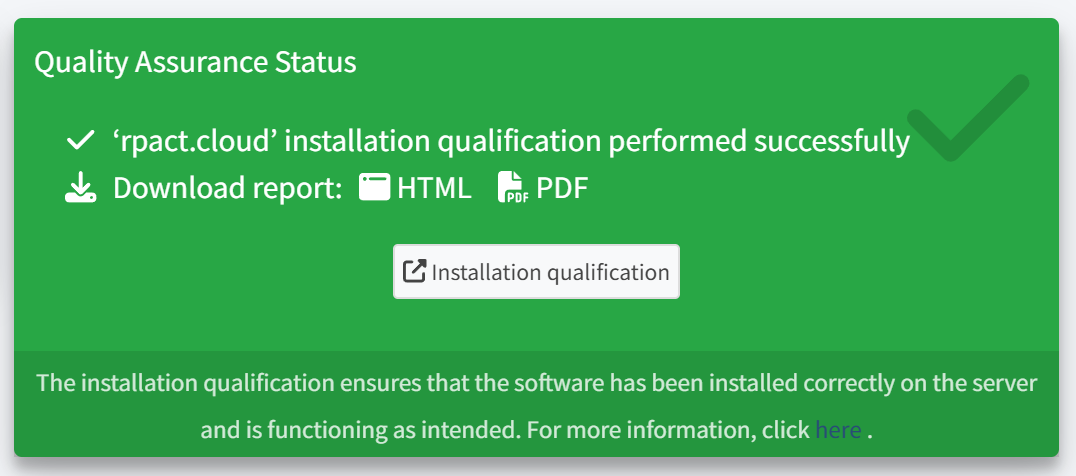
- Installation Qualification & Quality Assurance
- Added User Requirements Specification (URS). Details: https://docs.cloud.rpact.com/articles/urs.html
- Perform installation qualification directly in the System Status section while the app is running.
- Download qualification reports as HTML or PDF.
- Enhanced UX with a progress spinner and real-time status updates.
RPACT Cloud 2.7.0 (cont’d)
- Table Rendering Improvements
- New options in the project comparison UI to toggle rounding and set decimal precision via checkbox and select inputs.
- Session Timeout Handler
- Introduced session timeout logic with an environment variable fallback.
- Display remaining session time in the footer.
- Introduced session timeout logic with an environment variable fallback.
- Report Legend Position
- Added a drop-down menu to select the legend position of plots in generated reports.
RPACT Cloud 2.8.0
- Comparison Tool
- Added a Comparison Tool Help page to the comparison tab
- Comparison tables are now generated with the flextable package
- Added filters for relevant parameters
- Added a Comparison Tool Help page to the comparison tab
- Saving Designs
- Sessions (including all designs) can now be downloaded as a file and restored via an HTML link
- Sessions can be bookmarked in the browser, preserving all designs
- All designs are automatically restored after a session timeout (just reload the page, e.g. with the F5 key, when the app is greyed out)
- Sessions (including all designs) can now be downloaded as a file and restored via an HTML link
RPACT Cloud 2.8.0 (cont’d)
- Survival Design Simulation (Two Groups)
- Users can define the number of raw datasets per stage (
maxNumberOfRawDatasetsPerStage)
- Raw data can be exported as an Excel file
- Users can define the number of raw datasets per stage (
- Standard Deviation
- For two-armed trials, it is possible to specify the standard deviations separately, i.e., different standard deviations for group 1 and 2 can be defined.
- Enhancements
- Improved performance by replacing all conditional panels with a server-side rendering solution
- Several design comparison settings have been moved to a central settings tab on the right for easier access and usability
- Improved performance by replacing all conditional panels with a server-side rendering solution
Thank you!
Questions and Answers